
JAGGAER One · Autonomous AP
Autonomous AP. No More Hours Lost to Invoice Entry.
AI invoice ingestion, validation, and coding with AppZen Autonomous AP, connected natively to Jaggaer Invoicing.
82%
Faster invoice cycle time
9.8%
Cut in duplicate submissions
20%
Invoices with
no touch
1.6
AP handling per invoice
6100-555
Invoice capture built for Accounts Payable, not adapted from OCR.
AppZen captures, validates, and codes invoices without templates or fixed rules, so Jaggaer Invoicing can match and move them to “OK to pay” faster.
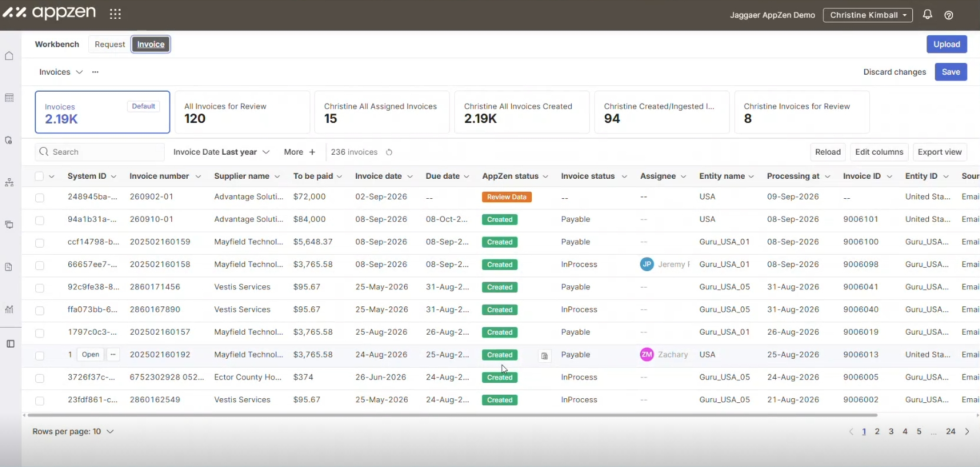
Autonomous Invoice Ingestion
Capture invoice data from PDF and email with no templates required. AppZen reads and interprets each invoice in context.
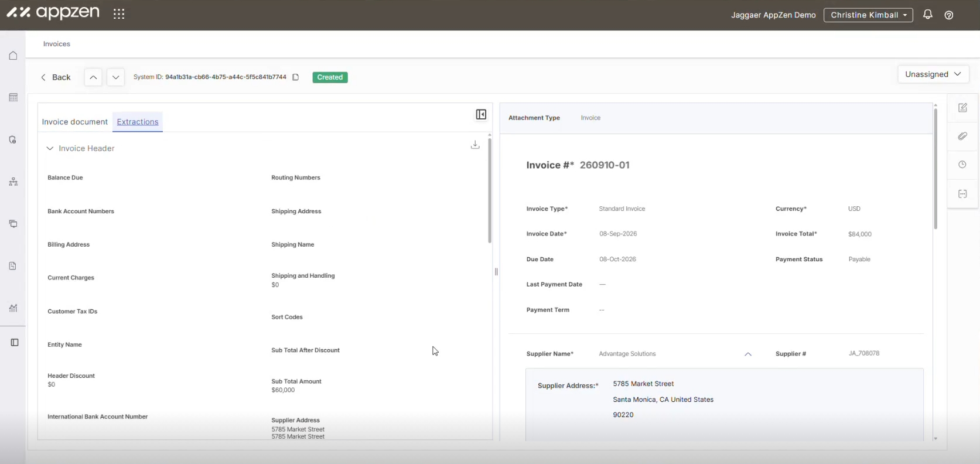
AI-Driven Extraction and Validation
Extract line items, tax data, and vendor details across languages and formats. Accuracy improves automatically from your team's corrections, no retraining needed.
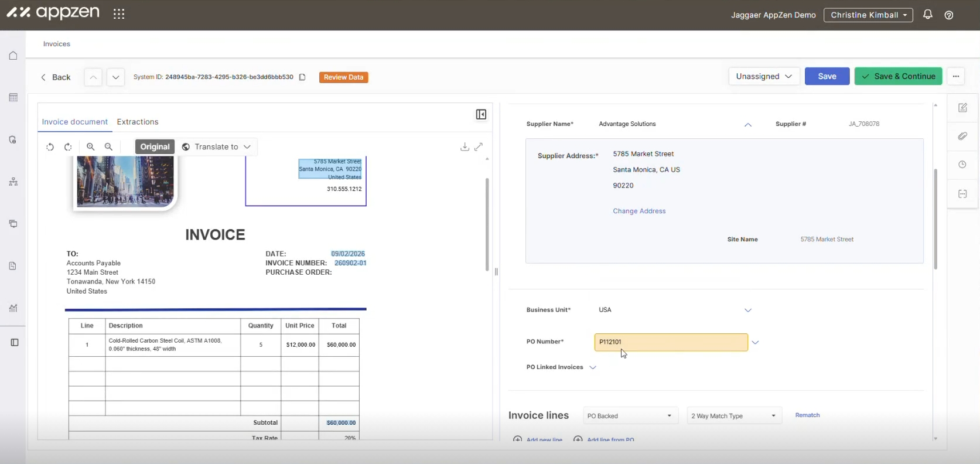
PO Matching Without Rigid Rules
Validated invoice data flows straight into Jaggaer Invoicing's matching engine, resolving line items to POs even when descriptions, quantities, or vendor names don't line up exactly.
Duplicate Detection Across AP Inboxes
Catch exact and near-duplicate invoices, including renamed vendors or altered invoice numbers, before they reach approval.
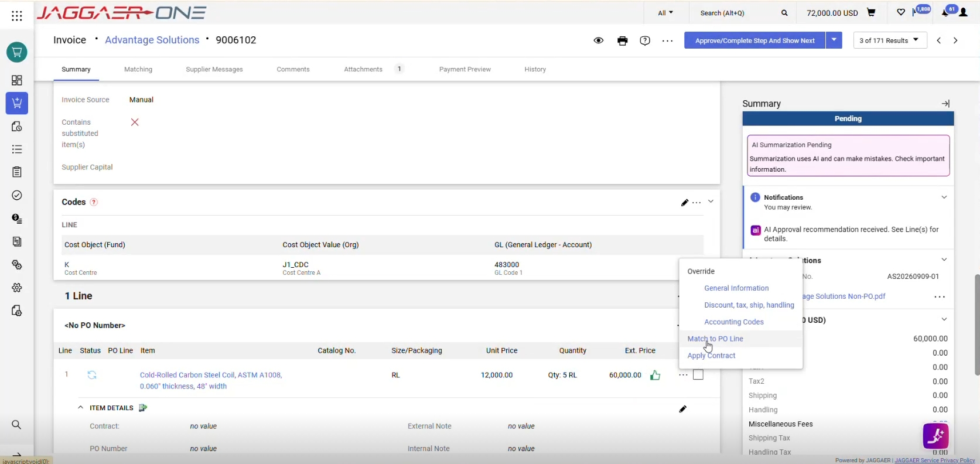
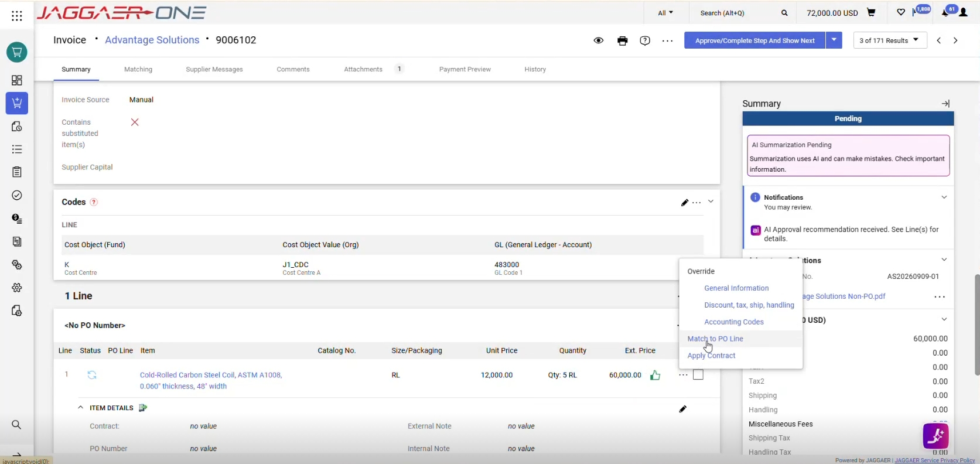
Non-PO Invoice Coding
Assign GL codes, cost centers, and units to non-PO invoices automatically, using patterns learned from prior AP decisions.
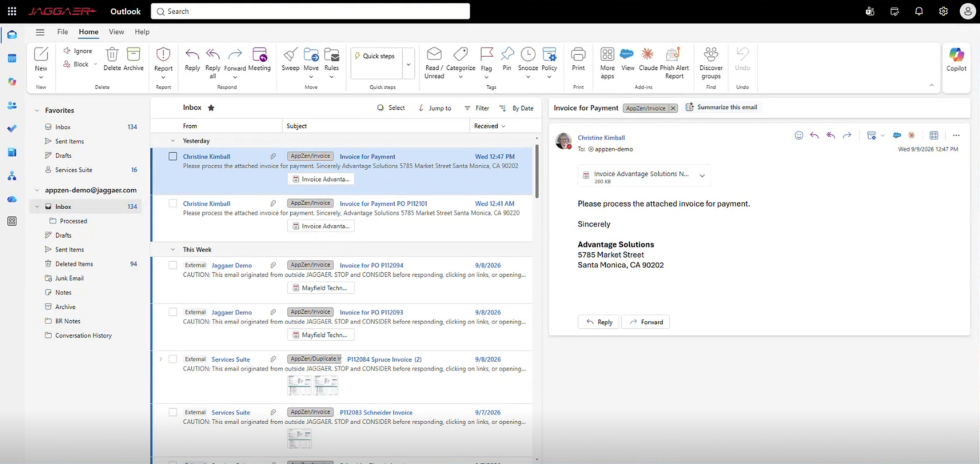
AI Inbox for AP Email (Additional Functionality)
Sort, categorize, and draft responses to vendor inquiries, payment status requests, and account changes directly from the AP inbox.
Click image to enlarge
Click image to enlarge
Click image to enlarge
Click image to enlarge
Click image to enlarge
Click image to enlarge
Autonomous Invoice Ingestion
AI-Driven Extraction and Validation
PO Matching Without Rigid Rules
Duplicate Detection Across AP Inboxes
Non-PO Invoice Coding
AI Inbox for AP Email (Additional Functionality)
Empower your business with AppZen’s unmatched AI in Jaggaer Invoicing.
AI that understands, learns, and acts without templates or rigid rules.
Stop the noise before it reaches your team.
Additional Functionality – AI Inbox for AP Email clears it out, so your team only touches real invoices.
Your team sees only the complex cases
It categorizes every incoming message and autonomously handles the routine ones.
Replies come back populated
For a “where is my payment?” query it looks up live invoice status in Jaggaer One and drafts a response with the expected payment date.
Duplicates stop at the door
When a supplier sends the same invoice twice, it is caught in the inbox rather than three steps into your process.
Invoices import themselves
Valid invoices, credit memos and debit memos are pushed into Jaggaer Invoicing automatically.
What customers achieve with Autonomous AP.
Faster processing, higher accuracy, fewer manual touches.
- 97% data capture accuracy, significantly reducing manual error correction
- Invoice processing cut from days to under one minute
- 12,000+ invoices processed in the first six months post-integration
“We have ultimate visibility into any invoice document that any supplier or entity submits to RPI. Our invoices are accurate before they even get to their first approval.”
AppZen Autonomous AP resources.
Guides, FAQs, and product detail on autonomous invoice processing.
Talk to an Autonomous AP expert.
Tell us about your invoice volume, PO mix, and current AP process. We’ll show you exactly where Autonomous AP fits.
- Manual data entry?
AppZen captures invoice data with no templates or rules. - High non-PO volume?
Non-PO invoices are coded automatically from learned patterns. - Duplicate invoices?
AppZen catches duplicates in the inbox, before they’re ever approved. - Slow PO matching?
AppZen matches invoice lines to POs even with fuzzy descriptions.
Request a Demo
AppZen’s Autonomous AP FAQs.
Accounts payable automation uses software and AI to handle invoice capture, data extraction, PO matching, approvals, and payment, replacing manual entry and paper-based workflows with a touchless process.
AI that automates invoice ingestion into Jaggaer Invoicing, including extraction, PO reconciliation, duplicate checking, and GL code prediction for non-PO invoices.
Invoice processing automation captures data from incoming invoices and validates it against purchase orders and receipts automatically, cutting the manual data entry and reviews that slow down AP.
OCR reads characters. AppZen reads invoices in context, without templates, and improves from your team’s corrections instead of requiring rule updates.
Yes. The integration is pre-built and delivers end-to-end, touchless invoice processing via Jaggaer One’s RESTful APIs.
AppZen captures, validates, and codes invoices. Jaggaer Invoicing then runs PO matching, approval workflow, and “OK to pay,” through to payment status.
Yes. It assigns GL codes, cost centers, and entities to non-PO invoices automatically, reducing manual coding.
Data is hosted in AppZen’s AWS data centers (Virginia and Dublin), certified to ISO 27001, ISO 27017, ISO 27018, and SOC 2, and compliant with EU GDPR and CCPA.
Yes. AppZen Mastermind includes dashboards for invoice status, supplier performance, and exception trends, giving AP teams visibility to support cash flow and process decisions.
Touchless invoice processing is when an invoice moves from receipt to payment approval without manual data entry or review, because AI extraction and matching are accurate enough to skip human intervention.
Replacing OCR and template-based capture with AI that reads any invoice format removes most manual keying, letting your team review exceptions instead of retyping every invoice.


